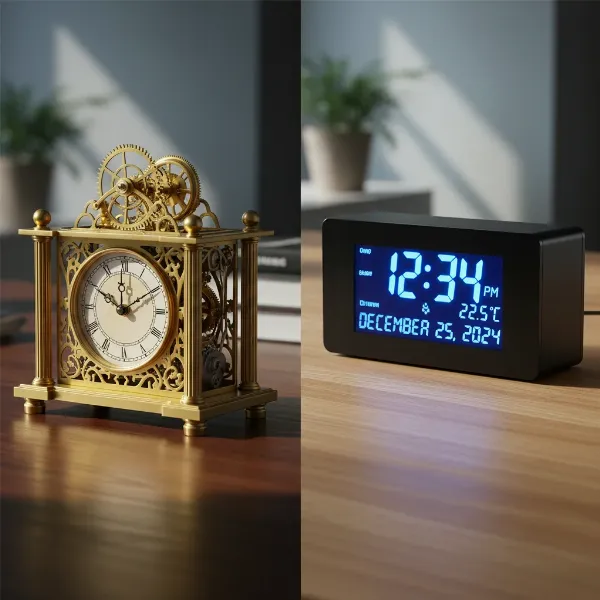
In our fast-paced professional lives, maintaining focus and managing time effectively are more crucial than ever. While digital devices often serve as our primary timekeepers, they frequently come with a barrage of distractions that can derail even the most dedicated worker. Enter the humble yet powerful desk clock—a tool designed to anchor your attention, improve time awareness, and ultimately, elevate your productivity without the digital noise. This guide will delve into the various types of desk clocks, their features, and how to choose and utilize the best one to transform your workspace into a hub of efficiency.
The Indispensable Role of a Desk Clock in Boosting Productivity
A desk clock is far more than a simple time-telling device; it’s a strategic asset in your productivity toolkit. By offering a dedicated, distraction-free display of time, it empowers you to take control of your workday.
Firstly, a desk clock promotes time awareness without distractions. Unlike a smartphone or computer, which can tempt you with notifications and endless tabs, a physical clock keeps the current time visible at a glance. This simple act of checking the time without digital interruptions helps you stay on task and avoid getting sidetracked.
Secondly, it encourages effective time management. Seeing the minutes tick by can be a powerful motivator, subtly urging you to adhere to your schedule, prioritize tasks, and meet deadlines with greater efficiency. This constant, gentle reminder fosters better planning and execution of your daily agenda.
Thirdly, a desk clock reduces screen dependency and fatigue. Constantly checking your phone or computer for the time contributes to screen fatigue and can break your flow state. A physical clock allows your eyes to rest from digital screens, preserving your energy for more demanding tasks.
Finally, it creates a sense of urgency and builds momentum. Implementing a countdown timer, or simply seeing time progress on an analog face, can instill a healthy sense of urgency, especially for timed tasks. This psychological nudge helps to initiate work and build momentum, making it easier to overcome procrastination and push through challenging projects.
Types of Desk Clocks for Enhanced Productivity
The world of desk clocks offers a variety of styles, each with distinct advantages for different work environments and preferences.
Mechanical Desk Clocks
Mechanical desk clocks embody tradition and craftsmanship. They operate using gears and springs, offering a timeless aesthetic that can add a touch of sophistication to any workspace.
- Pros and Cons: Their primary advantage lies in their classic appeal and the absence of digital screens, which some find more conducive to focus. Many feature a continuous sweep second hand, eliminating the distracting “tick-tock” sound. However, some traditional models can be noisy, and they generally lack modern “smart” features like alarms or timers. They also typically require more delicate handling and occasional maintenance compared to their digital counterparts.
- How they work and maintenance tips: These clocks use intricate internal mechanisms to keep time. For quiet operation, look for models advertised with a “silent sweep” or “non-ticking” movement. Basic maintenance often involves gentle dusting and keeping them away from extreme temperatures or humidity.
- Notable brands/styles: Brands like Howard Miller offer elegant mechanical options that prioritize design and quiet quartz movement for reliability. Styles often range from classic wood finishes to polished brass, fitting traditional or luxurious office aesthetics.
|
Our Picks for the Best Desk clock in 2026
As an Amazon Associate I earn from qualifying purchases.
|
||
| Num | Product | Action |
|---|---|---|
| 1 | AYRELY® 4.5" Analog Alarm Clock,Small Retro Desk Clock Battery Operated,Slient Metal Table Clock with Light for Living Room Decor,Bedroom,Bedside,Shelf (Orange-Yellow) |

|
| 2 | Peakeep Slim Digital Mirror Aesthetic Alarm Clock for Bedrooms Desk Decor - Plug in Electric Big LED Modern Small Clock for Office Living Room, Battery Backup, 6 Dimmers (Gold) |
|
| 3 | Netzu 3-in-1 Digital Clocks for Living Room with Temperature, Date & Time Display - 4 Levels Birghtness, 3 Volumes, Small & Compact Plug-in Alarm Clock for Bedroom, Office (Black) |
|
| 4 | DreamSky Wooden Digital Alarm Clock for Bedroom - Desk Clock for Living Room with Large Numbers, Dimmer, Loud Alarm for Heavy Sleepers with Volume Control, DST, Office Wood Decor (Plug in Clock) |
|
| 5 | Sharp Digital Alarm Clock with Keyboard Style Controls, Battery Back-up, Easy to Use with Simple Operation, Black Case with Red LED Display |
|
| 6 | Amazon Basics Small Digital Oval Alarm Clock with LED Display, Nightlight, Snooze Function & Battery Backup, Black, 4.5 x 3.5 x 2.4 Inches |
|
| 7 | DreamSky Digital Alarm Clocks for Bedrooms - Wooden Desk Clock with Date, Day of Week, USB Port, Temperature, Dimmer for Bedside Table, Living Room, Office, Adjustable Volume, Auto DST, Wood Decor |
|
| 8 | Clock with Day and Date for Elderly, 7" Large Display Digital Calendar Day Clock with 20 Custom Alarms and Medicine Reminders, Dimmable Dementia Alzheimers Clocks for Seniors, Black (Ac Powered) |
|
| 9 | AYRELY® 4.5" Analog Alarm Clock,Small Retro Desk Clock Battery Operated,Slient Metal Table Clock with Light for Living Room Decor,Bedroom,Bedside,Shelf (Blue) |
|
| 10 | Peakeep Large Display Digital Alarm Clock for Bedrooms, Date Day of Week Calendar Desk Table Clocks for Living Room Office, Dimmable Plug in Electric Clock, 5 Volumes, Loud, Auto DST |
|
Digital Desk Clocks
Digital desk clocks are popular for their clear readability and array of features. They present time numerically, often with additional information.
- Pros and Cons: Digital clocks excel in clarity and often pack multiple functions into one device. They are typically silent, making them ideal for quiet workspaces. The main drawback can be an overwhelming number of features on some models, which might become a distraction rather than a aid. The aesthetic is also generally more modern, which may not suit all decors.
- Smart features and functionalities: Many modern digital clocks include integrated alarms, date and day displays, room temperature readings, and even USB charging ports for other devices. Advanced models might offer customizable brightness settings, dual alarms for different schedules, and even integrate with smart home systems.
- Popular digital clock brands/models: The TimeMatrix CCT, for example, is noted for its clear display of time, date, calendar, and room temperature, along with a built-in countdown timer for focused work. Other options, like the DreamSky Digital Alarm Clock, offer large displays with adjustable brightness and multiple time indicators, making them practical choices for a productive desk setup.
[image-1|digital-productivity-desk-clock|Modern digital desk clock displaying time, date, and a countdown timer on a minimalist desk with a laptop and plant|
A sleek, modern digital desk clock with a large, clear display showing time, date, and a countdown timer. The clock is positioned on a minimalist wooden desk next to a silver laptop and a small green potted plant. The background is a clean, bright office setting with soft, ambient lighting. The clock face is well-lit and easy to read, emphasizing its functional design for productivity.]
Productivity Timers (Specialized Clocks)
Beyond basic timekeeping, specialized productivity timers are designed specifically to enhance focus and manage work intervals, often utilizing techniques like Pomodoro.
- Pros and Cons: These timers are excellent for structured work, helping users break down tasks into manageable blocks. They are highly effective for combating procrastination and maintaining intense focus. However, they might be single-purpose, meaning you may still need a separate clock for continuous time display.
- Types of timers:
- Pomodoro Timers: These typically involve 25-minute work intervals followed by short breaks. Many digital desk clocks incorporate this feature.
- Visual Timers: The Time Timer MOD, for instance, uses a disappearing red disk to visually represent elapsed time, which is helpful for visualizing how much time is left.
- Countdown Timers: These are crucial for creating a sense of urgency, helping you commit to a specific task for a set period and encouraging focused effort to meet self-imposed deadlines.
- How they aid focus: By segmenting work into defined periods, these timers help prevent multitasking and encourage deep concentration. They provide a clear start and end point for tasks, making large projects feel less daunting and building momentum as you complete each timed block.
How to Choose the Perfect Desk Clock for Productivity
Selecting the right desk clock involves more than just picking a design you like. It requires considering how the clock will integrate into your workflow and enhance your productive habits.
Assess Your Specific Needs
Begin by defining what you truly need from your desk clock.
- Purpose of use: Are you looking for a simple, elegant timepiece, or do you need advanced features like multiple alarms, a countdown timer for Pomodoro sessions, or a calendar display? If managing multiple time zones is crucial, look for clocks with world time or dual-time displays.
- Placement: Consider the size of your desk and the distance from which you’ll typically be viewing the clock. A compact clock might be ideal for a minimalist setup, while a larger display might be necessary if your desk is deep or you often move away from it.
- Budget: Desk clocks range widely in price, from budget-friendly digital options to luxurious mechanical pieces. Determine how much you are willing to invest based on the features and aesthetic quality you desire.
Key Features to Look For
Certain features are paramount when selecting a desk clock designed for productivity.
- Readability: The time should be easily visible at a glance. Look for large numerals, bold markers, or contrasting hands. Adjustable brightness settings on digital clocks are beneficial for different lighting conditions.
- Silence: A ticking clock can be a significant distraction for some. Opt for digital clocks or analog clocks with a “silent sweep” or “non-ticking” movement to maintain a quiet, focused environment.
- Essential functions: Beyond just telling time, consider features like a date and day display, alarm functions for reminders, and integrated countdown timers for focused work blocks. Smart clocks might also offer temperature readings or even connectivity features.
- Aesthetics and size: The clock should complement your workspace decor and fit comfortably on your desk without cluttering it. Whether you prefer a sleek modern design, a classic wood finish, or a minimalist aesthetic, choose a style that enhances your office environment.
Comparing Options and Making a Purchase
Once you have a clear idea of your needs and desired features, it’s time to explore specific models.
- Reputable retailers and brands: Look for clocks from well-known manufacturers that have a reputation for quality and reliability. Online reviews can also provide valuable insights into user satisfaction and product performance.
- Checking reviews and warranty: Pay attention to what other users say about the clock’s accuracy, durability, and how well its features perform. A good warranty can offer peace of mind for your investment.
- Ensuring quality and durability: Consider the materials used in the clock’s construction. High-quality materials like wood, metal, or crystal can signify a more durable and long-lasting product.
Desk Clock Comparison Table
| Brand/Model Example | Type | Key Features for Productivity | Pros | Cons |
|---|---|---|---|---|
| TimeMatrix CCT | Digital with timer | Time, date, calendar, temperature, countdown timer | All-in-one productivity hub, clear LCD, Pomodoro support | Digital aesthetic might not suit all decor preferences |
| DiamondLux 13 | Analog | Silent analog display, elegant mirrored frame | Aesthetic focus, quiet operation, sophisticated look | Lacks digital features like timers/alarms, no date |
| DreamSky Compact Digital Alarm Clock | Digital | Easy-to-read, adjustable volume/brightness, USB port | Simplicity, essential alarm and charging features, professional appearance | Basic features, no advanced timers or extensive calendar |
| TimeFlip 8-Sided Timer | Specialized Timer | Customizable time segments, unique design, physical interaction | Gamified time management, helps break tasks, reduces screen use | Primarily a timer, not a full clock display; requires manual flipping |
Maximizing Productivity with Your Desk Clock
Having the right desk clock is just the first step; how you integrate it into your daily routine and maintain it can significantly impact your productivity.
Proper Placement and Setup
Strategic placement of your desk clock can make a big difference.
- Visibility at a glance: Position your clock where it’s easily visible without having to turn your head or strain your eyes. This ensures that you can check the time quickly and effortlessly.
- Ergonomics: Ensure the clock’s placement does not interfere with your ergonomic setup or contribute to neck strain. It should be at a comfortable eye level.
- Clutter-free environment: A cluttered desk can lead to a cluttered mind. Keep the area around your desk clock clear to highlight its presence and avoid visual distractions. An organized workspace helps you focus better and work more efficiently.
Maintenance and Care
Proper care ensures your desk clock remains a reliable productivity tool for years to come.
- Cleaning tips: Gently wipe your clock with a soft, dry cloth to remove dust. For more stubborn marks, use a slightly damp cloth with a mild cleaning solution, avoiding harsh chemicals that could damage the finish or display.
- Storage: If you’re not using your clock for an extended period, store it in a cool, dry place away from direct sunlight and extreme temperatures, which can affect its internal components and battery life.
- Battery replacement/power source: Regularly check the battery life for battery-operated clocks and replace them as needed to ensure accurate timekeeping. For clocks with power adapters, ensure the connection is secure and the power source is stable.
“A well-chosen desk clock is more than just a timepiece; it’s a constant, gentle reminder to stay present and intentional with your most valuable resource: time.” – Dr. Alex Chen, Productivity Expert
Conclusion
Choosing the best desk clock for improving your productivity is about more than just aesthetics; it’s about selecting a tool that seamlessly integrates into your workflow, reduces distractions, and actively supports your time management efforts. Whether you prefer the classic silence of a mechanical clock, the feature-rich display of a digital model, or the focused utility of a specialized timer, the right desk clock can be a game-changer. By promoting time awareness, encouraging effective scheduling, and minimizing screen dependency, a dedicated desk clock helps you cultivate a more focused and efficient work environment.
What small change will you make to your desk setup today to gain more control over your time?
Câu Hỏi Thường Gặp
Why is a desk clock better than a phone for productivity?
A desk clock offers a distraction-free way to monitor time, reducing the temptation to check notifications or get sidetracked by apps. It promotes continuous time awareness, helping you stay focused on tasks without breaking concentration, unlike a phone which often leads to interruptions and mental shifts.
What is the Pomodoro Technique and how can a desk clock help?
The Pomodoro Technique is a time management method that uses a timer to break down work into intervals, traditionally 25 minutes in length, separated by short breaks. A desk clock with a built-in countdown timer is ideal for implementing this technique, providing a clear visual or audible cue for work and break periods, thereby improving focus and preventing burnout.
Should I choose an analog or digital desk clock for productivity?
The choice depends on personal preference. Analog clocks offer a classic aesthetic and can provide a subtle, visual representation of time passing. Digital clocks typically offer more features like alarms, dates, and often countdown timers. For maximum productivity, choose a silent model that is easy to read at a glance and includes the specific features you need, such as a timer or calendar.
How big should my desk clock be?
The ideal size of your desk clock should allow it to fit comfortably on your desk without taking up too much space, while also being large enough for you to read the time easily at a glance. Consider your desk dimensions and viewing distance; a compact design is suitable for smaller spaces, whereas a larger display might be better for deeper desks or if you move around frequently.